While One touch expenser was not known for its UI, its all changed in the version 3.0 released yesterday(March 2nd). UI is a pure Android experience. Below is the presentation I had the privilege of sharing with Bangalore Android Group at a recent meetup.
Exclusively Android

Saturday, March 2, 2013


Tuesday, February 19, 2013
Long time no see?
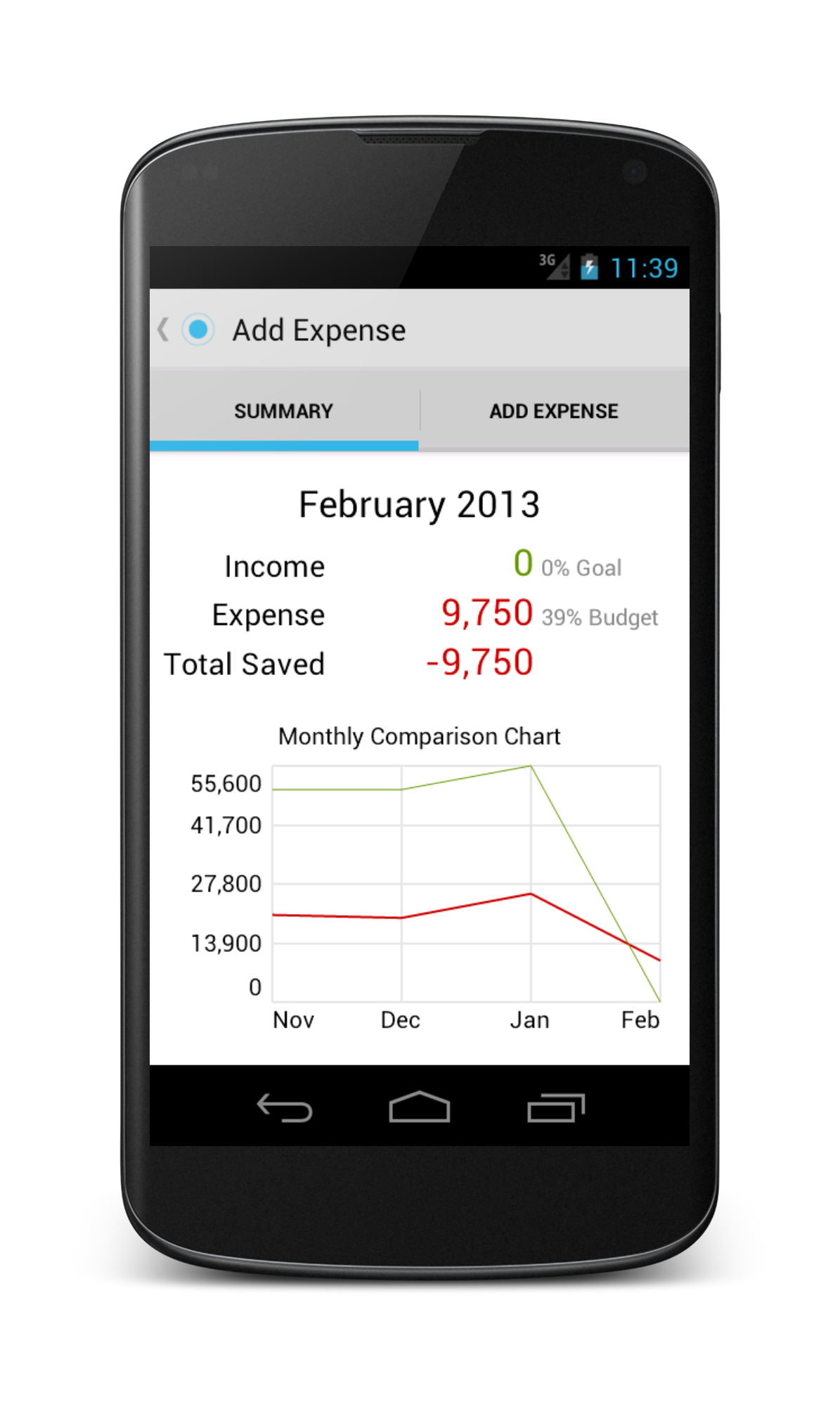
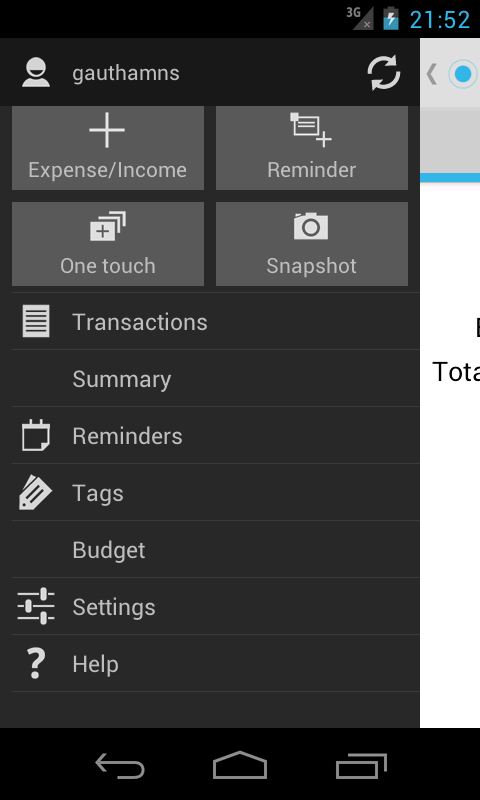
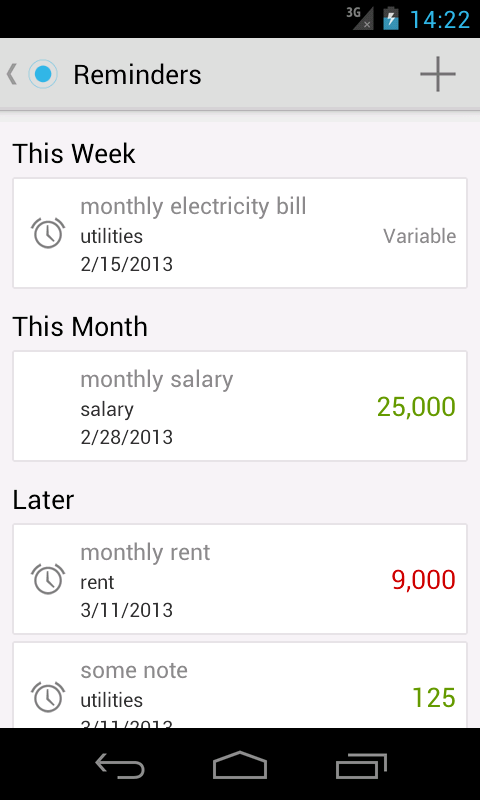
For those who are wondering why no updates for the last month, worry not. The app is going through a huge redesign and the new design is going be beyond your expectations. The update should hit you within next two weeks if all goes well. Here's sneak peak into the new update.
Monday, January 7, 2013
One touch expenser at Android App Expo 2013, Bangalore
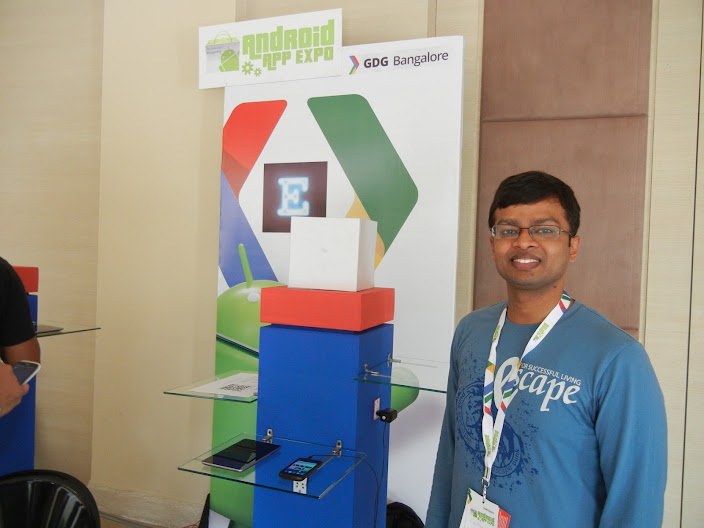
We had a great privilege of having been invited to Android App Expo at Bangalore. It was an incredible experience to receive appreciation and useful feedback from the delegates, android experts and Googlers. The biggest plus of the expo was the suggestions received from all.
We are very hard at work to implement some of the very good suggestions provided at the Expo and make One touch expenser even more awesome than it already is.
Following improvements are planned for One touch expenser within the next month:
* Password locking.
* Better UI for adding an expense, reminder.
* Customizable widgets.
* Reminders improvements.
* Custom reports while exporting data.
And lot more. Happy new year..
Thursday, December 27, 2012
Optimized for Nexus 7
First baby steps for optimizing the app for tablets have been taken. The app is now optimized to make use of the extra screen available for 7" and above tablets like the Nexus 7.
Though Android tablets adoption has been slow, plethora of affordable tablets flooding have opened new user base for Android tablets. If phone is perfect for recording daily expenses on the go, tablets are perfect for viewing. Tablet UI is all focused on showing the data.
More tablet specific features are coming in the future. Do checkout the app on your tablet and provide us feedback.
Though Android tablets adoption has been slow, plethora of affordable tablets flooding have opened new user base for Android tablets. If phone is perfect for recording daily expenses on the go, tablets are perfect for viewing. Tablet UI is all focused on showing the data.
More tablet specific features are coming in the future. Do checkout the app on your tablet and provide us feedback.
Saturday, December 1, 2012
Simpler UI, searching transactions and more.
Version 1.7 was released on Nov 30, with number of enhancements to make the app easier to use and a few bug fixes.
Tags created now on-wards are all in lower case. Multiple tags with same name but different case has been a source of bugs and confusion.
Main page has been simplified to navigate easily. Now, no more two clicks to go to transactions, reminders, adding a transaction etc. Less frequent things are relegated to Settings(Repeating transactions).
Summary page is now so much better and shows both summary of children tags and transactions of the tag.
One exciting enhancement is the ability to search for transactions/transaction. You can search for a transaction either by tag, or note or even amount. And it will instantly find the relevant transactions, and more, it will show the summary of transactions matching the search criteria. Very useful if you want to see how much you spent on a particular item(if you wrote the item in the note or a tag).
Let us know your comments on the enhancements. Also, if there is anything else you want to see in the app.
Friday, October 26, 2012
Version 1.6
Version 1.6 was released a few days ago. We now are happy to say that you can track your income with the app. Yay!!
There was a minor update(version 1.6.1) pushed out today which fixed a few bugs pointed out by our users. Also, you can now rename tags. Keep sending us feedback.
There was a minor update(version 1.6.1) pushed out today which fixed a few bugs pointed out by our users. Also, you can now rename tags. Keep sending us feedback.
Saturday, August 18, 2012
Version 1.2
Version 1.2 of the One touch expenser was released a couple of days ago. It contains one exciting feature: Tidbits. You might have noticed that the action bar at the bottom is now gone and might have noticed Board now. Board houses tidbits.
Tidbits can be about anything. If you have not set any budget, it will ask you to set your monthly budget. If there are any one touch transactions whose data has to be filled, it will show it in the board. If there are any reminders in the near future, it will show you.
One of the most useful features of tidbits is showing the transactions for which data has to be filled. Say you were outside and you one touched after you spent. After reaching home, you want to fill the details without waiting for the notification. Now, if you open the app, you can see the tidbit at bottom showing you the one touch transaction. You can directly fill from there. Very convenient!!
If the 4*1 widget stopped updating expenses, please remove and add it again. It is a known issue and will be rectified in the coming release.
Keep providing us feedback. There are very few tidbits which are shown now. But we hope to expand greatly in future and adding personal touch to the app.
Tidbits can be about anything. If you have not set any budget, it will ask you to set your monthly budget. If there are any one touch transactions whose data has to be filled, it will show it in the board. If there are any reminders in the near future, it will show you.
One of the most useful features of tidbits is showing the transactions for which data has to be filled. Say you were outside and you one touched after you spent. After reaching home, you want to fill the details without waiting for the notification. Now, if you open the app, you can see the tidbit at bottom showing you the one touch transaction. You can directly fill from there. Very convenient!!
If the 4*1 widget stopped updating expenses, please remove and add it again. It is a known issue and will be rectified in the coming release.
Keep providing us feedback. There are very few tidbits which are shown now. But we hope to expand greatly in future and adding personal touch to the app.
Subscribe to:
Posts (Atom)